What technology helps families stay connected?
Video calling, photo sharing, and dedicated senior communication devices are the most effective technologies for keeping families connected across generations and distances. The best solution depends on who you are trying to reach. For most families, the challenge is not a lack of options — it is finding technology that the oldest generation can actually use without constant support from family members.
How ViewClix Bridges Every Generation
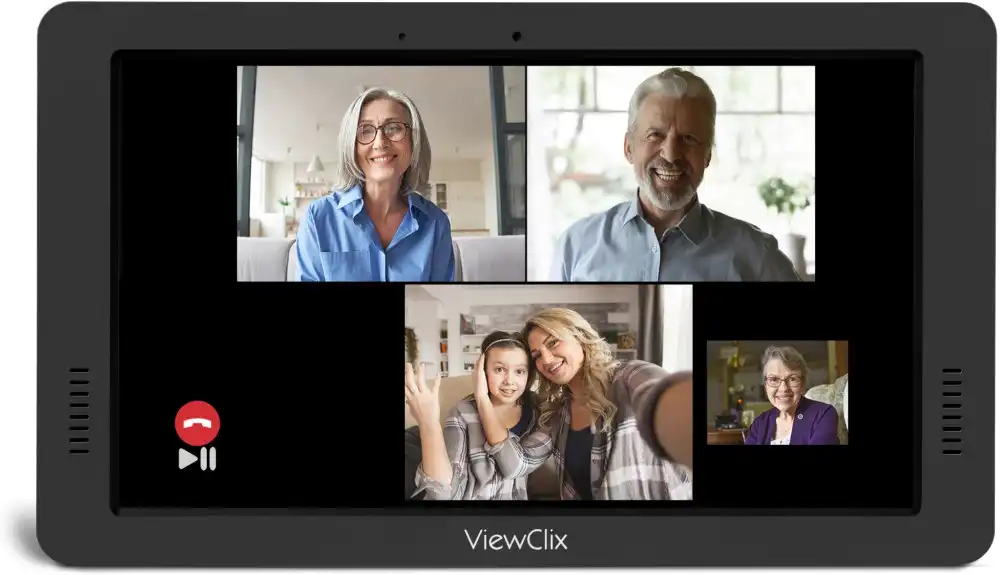
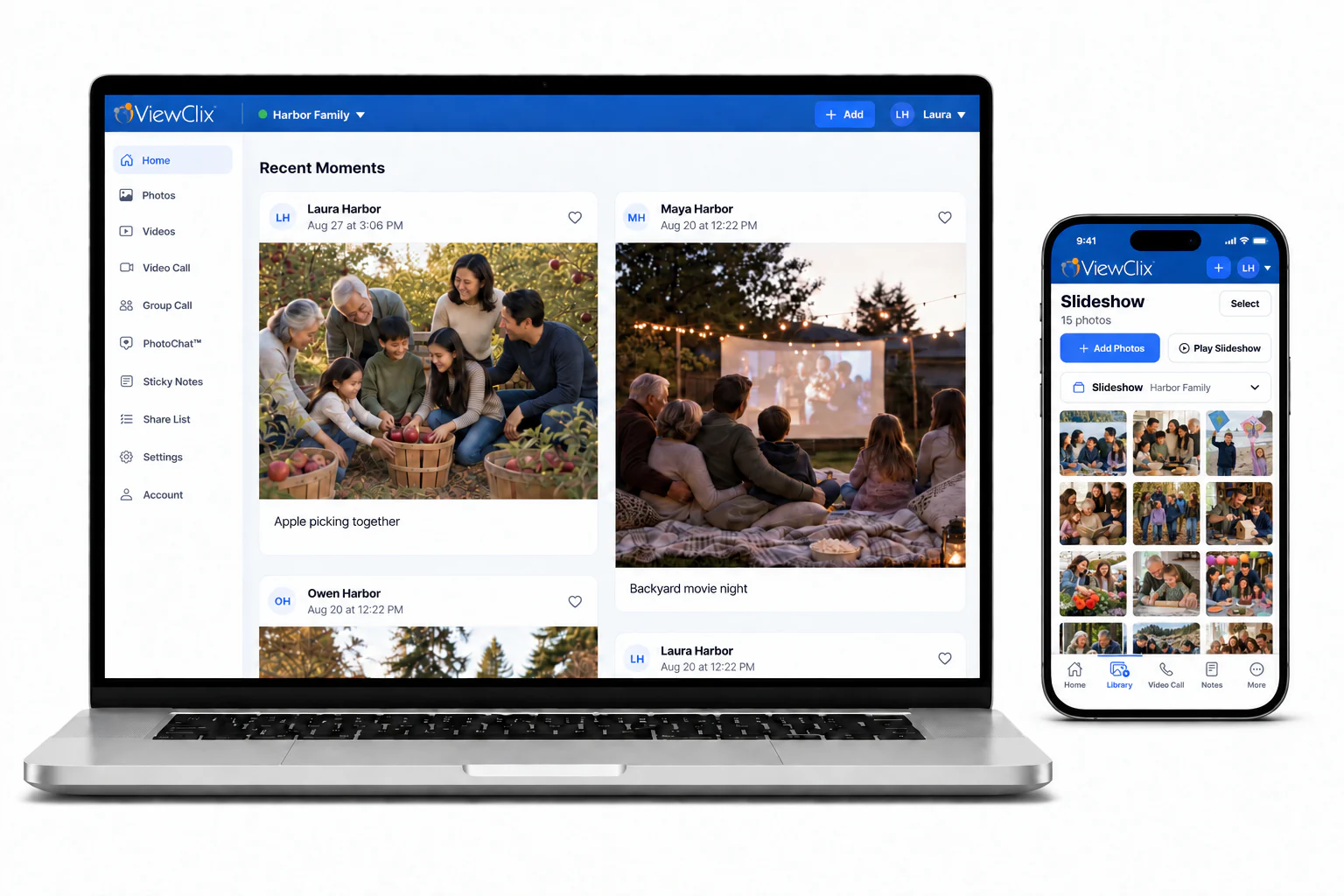
ViewClix is specifically designed to work for both ends of the family: adult children and grandchildren who are comfortable with apps and modern devices, and seniors who prefer to have nothing to manage. The ViewClix app lets family members send photos and start video calls from their phone. On the senior's end, the smart frame displays new family photos automatically and answers video calls without any interaction — no buttons, no apps, no passwords. Up to three family members can join one call. It is the rare piece of technology that two generations can both genuinely appreciate.
Explore ViewClix featuresWhy Family Connection Technology Matters More Than Ever
Family members now live an average of greater distances from one another than at any previous point in recent history. Career moves, education, and changing housing costs mean that grandparents, adult children, and grandchildren often live hours apart — sometimes in different countries.
The emotional benefits of family connection
Regular communication between family members across generations supports emotional wellbeing for both young and old. For seniors, staying connected with family combats isolation, maintains a sense of purpose, and is associated with better health outcomes. For children and grandchildren, consistent relationships with grandparents contribute to stronger family identity, resilience, and understanding of older generations.
Connection across generations
Technology has made it possible for grandchildren to grow up with close relationships with grandparents even when they see them only a few times a year. Video calls and regular photo sharing mean that grandparents can follow a grandchild's life in real time — not just through occasional holiday updates.
Reducing geographic distance
For families separated by long distances, connection technology does not replace in-person visits — but it makes the time between visits feel shorter. Families who communicate regularly often report that in-person visits feel less like reintroductions and more like natural continuations of an ongoing relationship.
How Technology Changed Family Communication
A generation ago, staying connected with distant family meant letters, expensive long-distance phone calls, and waiting weeks between updates. Today's families can share photos instantly, make free video calls, and maintain group conversations across continents. But this abundance of options also creates new challenges — particularly for seniors who did not grow up with smartphones and find modern apps confusing.
Common Challenges Families Face With Connection Technology
Geographic distance and time zone differences
Scheduling video calls across time zones and around work schedules is an ongoing coordination challenge. Technology tools that make spontaneous calls easy — rather than requiring calendar planning every time — keep connections more natural.
Busy schedules and competing priorities
Adult children managing careers, households, and their own children have limited time for regular communication with parents and grandparents. Tools that reduce friction — quick photo sharing, one-tap calls — help families stay connected even on busy days.
Technology barriers for seniors
This is the most significant obstacle for many families. The technology that works well for younger generations often presents substantial challenges for older adults. Complex apps, frequent updates, password requirements, and multi-step processes all create barriers that prevent seniors from participating fully in family communication. Families looking for strategies can explore how to help aging parents use technology.
Types of Technology That Help Families Stay Connected
Video calling platforms
FaceTime, Zoom, Google Meet, and similar platforms allow face-to-face conversation across any distance. These tools work well for family members comfortable with smartphones and apps. For seniors, however, navigating these apps reliably can be a significant barrier. See the full guide on video calling for seniors to compare options for older adults.
Photo sharing tools
Shared albums, messaging apps, and dedicated photo-sharing services allow families to maintain a continuous stream of everyday moments. Regular photo sharing keeps distant relatives involved in daily family life between calls. For seniors who cannot manage apps, dedicated frames that receive photos automatically are the most reliable option for sharing photos with grandparents.
Group messaging and family apps
Family group chats allow multiple family members to share updates, photos, and messages in one place. These work well for family members who are already comfortable messaging regularly. For seniors, a family messaging group only works if the senior is actually engaging with it — which requires comfort with their device.
Senior-focused communication devices
Purpose-built senior devices like ViewClix remove the technology learning curve entirely. They are designed from the ground up for seniors who should not need to manage technology to stay connected with family. The device handles everything automatically — displaying photos and answering calls — while family members manage everything through a standard app on their own phones.
Practical uses across everyday family life
Families who use connection technology most effectively tend to integrate it into ordinary activity rather than treating it as a special occasion. A quick photo from the school run, a brief video call during a weekend morning, a group message sharing news from the week — these small, consistent touchpoints build stronger ongoing connections than infrequent but elaborate catch-up calls.
Choosing the Right Technology for Your Family
Match technology to all users in the connection
The most important consideration is whether every person in the connection can actually use the technology. It does not matter how sophisticated or feature-rich a platform is if the senior on the other end cannot operate it reliably. Prioritize simplicity and reliability over features.
Look for tools that reduce friction on both ends
Families stay more connected when starting a call or sharing a photo takes seconds, not minutes. Friction creates hesitation. The lower the effort, the more naturally regular connection happens.
Consider remote management for senior devices
Technology that allows adult children to manage the senior's device remotely is particularly valuable. It removes the need for technical in-person support and ensures the device stays set up correctly without placing a burden on the senior.
For families building a complete connection strategy, ViewClix supports daily photo connection and regular video calls in one place. If video calls are the priority, start with a practical guide to how to video call grandparents.
For a broader routine that combines photos, calls, and predictable check-ins, read about staying connected with aging parents.
How ViewClix works