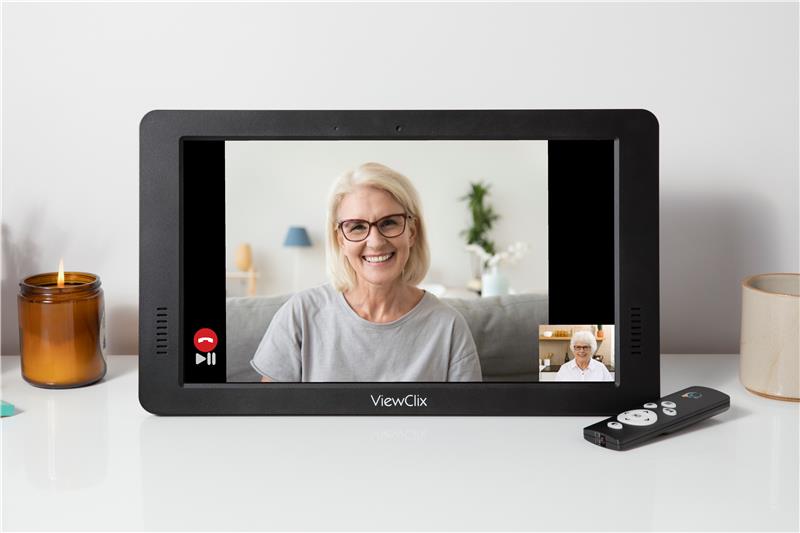
What is the easiest way for seniors to video call family?
The most effective way for seniors to video call family is by using a dedicated device engineered specifically for them, like the ViewClix Smart Frame. Standard tablets and smartphones require navigating apps, entering passwords, and managing settings, tasks that often cause frustration and device abandonment.
ViewClix removes these operational barriers entirely. Equipped with an Auto-Answer function, the frame allows seniors to receive video calls instantly without touching a single button. This empowers families to maintain a daily connection without requiring the senior to possess any technical knowledge.
Why Many Seniors Struggle with Modern Video Calling
Despite the clear benefits of visual communication, modern technology presents significant operational challenges for older adults. Devices built for the general public introduce unnecessary friction.
- Complex Interfaces: Unlocking screens, locating apps, and finding contacts require multiple precise steps that are often confusing.
- Difficult Touch Controls: Small digital buttons and swipe gestures pose significant challenges for individuals with arthritis or reduced motor control.
- Account Management: Software updates, dropped Wi-Fi connections, and forgotten passwords frequently result in permanent communication blockages.
How ViewClix Solves These Challenges
ViewClix is engineered explicitly to address and eliminate the pain points seniors experience with standard technology. We replaced complex user interfaces with automated, remote-managed systems.
1. Auto-Answer Video Calling
This is the core functional advantage of ViewClix. When an approved family member initiates a call via the ViewClix mobile app, the frame connects automatically with a friendly notification chime. The senior does not need to accept the call or touch the screen.
2. Zero Interface for the Senior
There are no apps to launch, menus to read, or settings to adjust. When not actively engaged in a call, the ViewClix frame functions seamlessly as a digital photo slideshow, displaying uploaded family memories.
3. Remote Family Management
Adult children manage the ViewClix frame entirely remotely through the ViewClix app and ViewClix website Member Portal. From there, family members control the contact list, upload photos, and manage device settings. The senior is never responsible for troubleshooting.
Explore all ViewClix featuresThe Only Group Video Calling Designed for Seniors
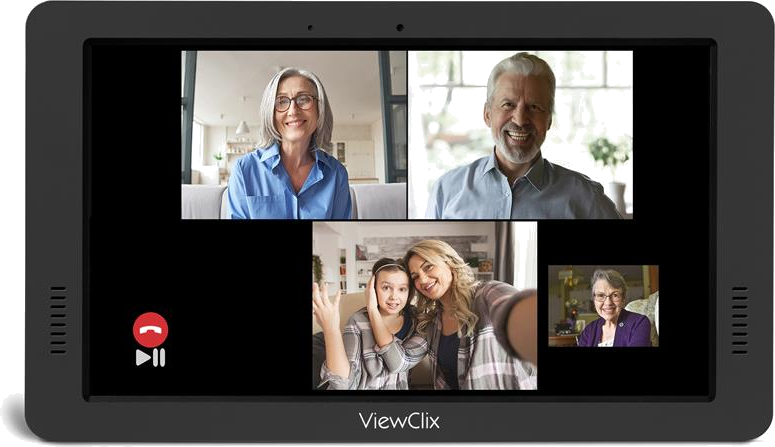
Standard group calling platforms like Zoom or FaceTime are notoriously frustrating for older adults. They require meeting links, passcodes, constant software updates, and caller-facing screen layouts that shift too unpredictably. For many seniors, managing these logistics completely disrupts the conversation.
ViewClix eliminates these obstacles entirely. Our Group Calling feature in the easy-to-use app allows seniors and families to connect consistently. Just like our standard one-to-one calls, the frame uses auto-answer technology. Up to three family members can join a call simultaneously for a stable, clear, and simple group connection.
Comparing Video Calling Devices
When evaluating how to keep seniors connected, it is crucial to understand the limitations of multipurpose devices compared to a focused solution like ViewClix.
Smartphones and Tablets
While highly versatile, these devices demand active user management. They require the senior to navigate operating systems, manage app updates, and handle frequent battery charging. This operational overhead often leads to user fatigue and device abandonment.
ViewClix Smart Frame
Engineered exclusively to remove user friction. It remains securely plugged in, operating continuously. Calls connect automatically, and all administrative tasks are handled remotely by the family. It provides a reliable, always-on connection point without the technical overhead.
The Role of the Family
Technology for older adults succeeds when the burden of management is shifted away from the end-user. ViewClix facilitates this by transferring control to the family via our secure mobile application.
- Initial Setup: Plug in the frame and connect it to the local Wi-Fi network.
- Secure Access: Use the ViewClix app to add approved family members to the authorized Share List. Only these individuals can call or send photos.
- Daily Engagement: Send photos remotely and initiate video calls at your convenience. The frame instantly displays your updates, keeping the senior engaged without any effort on their part.