What is the easiest way to share photos with grandparents?
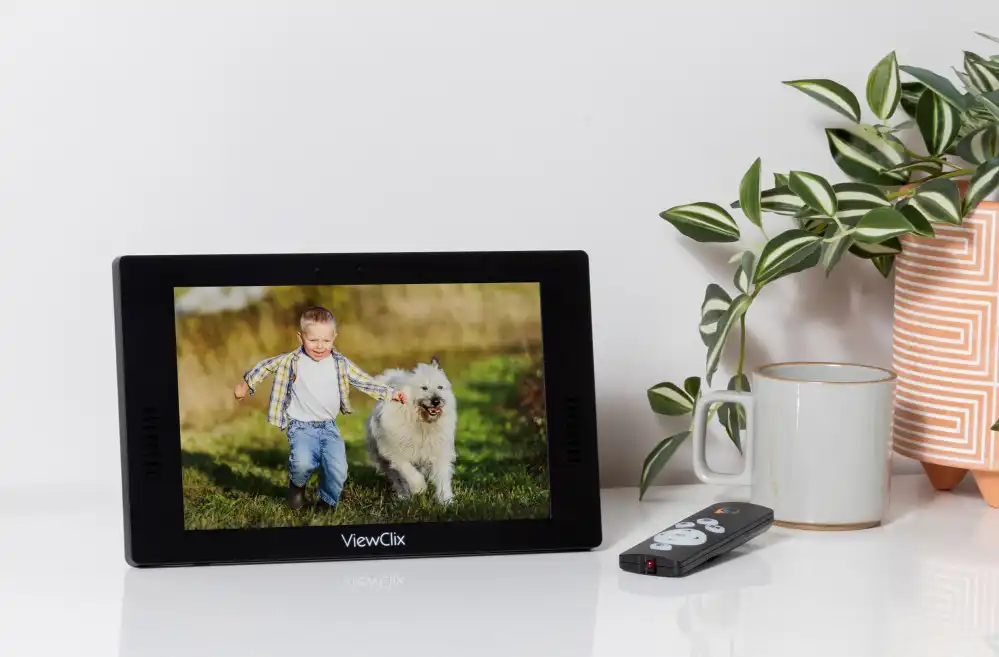
The easiest way to share photos with grandparents depends on how comfortable they are with technology. For grandparents who use smartphones confidently, texting or messaging apps work well for quick photo shares. For grandparents who are not comfortable with technology at all, a digital photo frame that automatically receives and displays new photos is the most reliable solution — because it requires no action from them.
How ViewClix Makes Photo Sharing Effortless
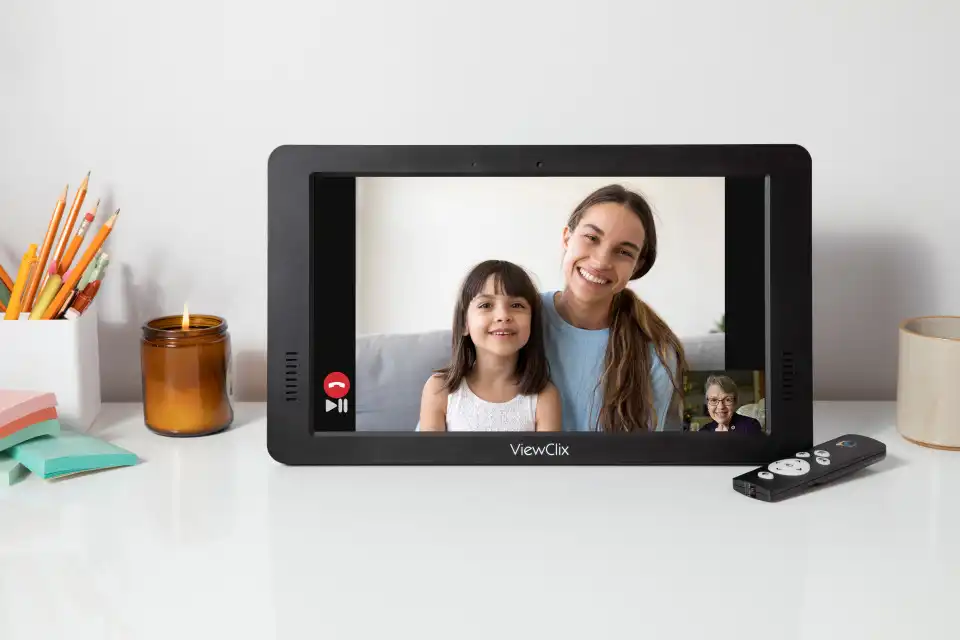
ViewClix is a smart frame that displays family photos automatically throughout the day — no downloads, no logins, no passwords required from the grandparent. Family members send photos directly from the ViewClix app on their phone, and the frame updates instantly. Grandparents see new family photos as soon as they are sent, without touching a single button. The same device also handles auto-answer video calls, so grandparents stay connected through both photos and face-to-face calls in one simple device.
Explore ViewClix featuresWhy Sharing Photos With Grandparents Matters
Photos help grandparents stay connected to daily family life even when distance makes visits infrequent. A photo of a grandchild's first steps, a sports game, or a holiday dinner can carry real emotional weight — it communicates that grandparents are included and remembered. Studies on senior wellbeing consistently find that feelings of connection and belonging are linked to better mental and emotional health outcomes in older adults.
Regular photo sharing also gives grandparents natural conversation topics during calls. When grandparents can say "I saw the photo of the birthday cake — tell me about it," calls feel more connected and less like routine check-ins.
Common Challenges With Sharing Photos
Small screens and difficult downloads
Receiving photos by email or text often requires downloading files or navigating to a gallery application. For seniors using older devices with small screens, this process can be unnecessarily complex. Photos that require interaction to view often go unseen.
Passwords and account requirements
Many photo-sharing platforms require account creation and login credentials. Managing passwords is one of the most frustrating technology challenges for older adults. When a grandparent forgets their password or gets locked out of an account, the entire sharing method breaks down.
Software updates and interface changes
Apps change frequently. A grandparent who has learned to navigate a specific interface may find their way when the app updates and reorganizes its menus. Every interface change creates a new learning challenge.
Multiple family members using different methods
When some family members text photos, others email them, and others use shared albums, grandparents are left managing multiple inboxes and apps. A single consistent method works much better.
Common Methods Families Use to Share Photos
Text messages and messaging apps
Texting photos is quick and familiar for many families. It works well for grandparents who are already comfortable using their smartphone. The limitation is that photos can get lost in long message threads and require the grandparent to actively check their phone.
Emailing photos is simple to send but often requires the grandparent to open attachments or download files. This adds steps that can slow the experience for seniors who are not confident email users.
Shared photo albums
Services like Google Photos or Apple's Shared Albums allow families to create a shared gallery. These require initial app setup and ongoing account management, which can be an obstacle for seniors with limited tech experience.
Printing and mailing
Some families still print photos and send them by post. Grandparents who prefer physical items often love printed photos — though this method is slower and less suitable for sharing current everyday moments quickly.
Smart digital photo frames
Digital frames that receive photos automatically are a good option for grandparents who prefer not to manage technology. ViewClix goes beyond a standard digital frame by combining automatic photo display with auto-answer video calling — giving grandparents a richer connection without any additional complexity.
Tips for Sharing Photos More Consistently
Make it a regular habit
Consistent photo sharing is more meaningful than occasional large batches. Even one or two photos a day can make a grandparent feel included in family life. With ViewClix, family members can send photos from anywhere — a school pickup, a weekend hike, a dinner at home — and the frame updates instantly.
Choose one method and stick with it
Consistency reduces confusion for grandparents. Pick a single sharing method and encourage all family members to use the same one. This prevents photos from becoming scattered across multiple platforms.
Share everyday moments, not just milestones
Grandparents cherish photos of ordinary life as much as major events. School mornings, backyard play, cooking together, weekend outings — these everyday moments communicate that grandparents are remembered and included all the time, not just on birthdays and holidays.
Include the grandparent in the photos
When possible, share photos that capture visits with grandparents, or photos taken together during video calls. These reinforce the relationship and give grandparents something personal to display and share with friends.
For families looking to build a more complete connection strategy, ViewClix supports both photo sharing and regular video calls in one place. If calls are part of the routine, this setup guide explains how to video call grandparents without making the experience complicated for them.
For a wider family connection plan, including calls, photos, and regular check-ins, read about staying connected with aging parents.
How ViewClix works