Free shipping available on ViewClix frames Shop Frames

Family Connection Guide

The Best Video Calling Devices for Seniors

Finding the right video calling setup should not mean struggling with complex technology. Discover how ViewClix removes the barriers, keeping grandparents and aging parents connected effortlessly.

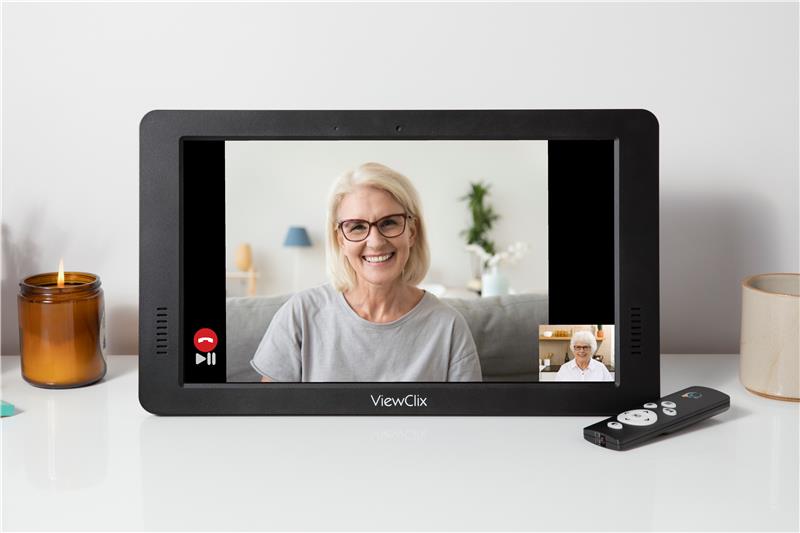
ViewClix frame ready for a senior video call

What is the best video calling device for seniors?

The best video calling device for seniors is one that completely removes complexity and makes communication effortless. Many older adults struggle with standard smartphones or tablets because they require navigating menus, downloading apps, remembering passwords, and managing software updates.

ViewClix Smart Frames are designed specifically to solve this. Unlike repurposed tablets, ViewClix is a dedicated communication frame that requires zero technical skills from the senior. With features like automatic answering and family-managed controls, families can connect face-to-face as easily as walking into the room.

Why Video Calling Can Be Difficult for Seniors

While video calls feel natural to younger generations, the experience is often frustrating for older adults who did not grow up using touchscreens. What seems simple to us can become a severe barrier to staying connected.

Common technology challenges:

  • Remembering how to unlock devices and open specific apps.
  • Navigating complex menus or accidentally changing settings.
  • Dealing with passwords, login screens, or unexpected software updates.
  • Struggling to press small buttons or read tiny text on smartphone screens.

When video calling becomes difficult, seniors often stop trying. This leads to missed conversations and isolation. That is why choosing a device built purposely for their needs, like ViewClix, makes a life-changing difference.

Explore ViewClix Features
How ViewClix Eliminates the Barriers

We built ViewClix to focus on what matters: staying connected without the frustration.

Auto-Answer Calling

Seniors do not have to press a single button. When an authorized family member calls, the ViewClix frame automatically answers, instantly bridging the distance.

100% Remote Management

Families manage everything through the free ViewClix mobile app. Add contacts, adjust volume, and send photos remotely. The senior simply enjoys the connection.

Large, Clear Display

Available in large formats, ViewClix provides crystal-clear visual and loud, crisp audio. When not on a call, it serves as a beautiful digital photo frame.

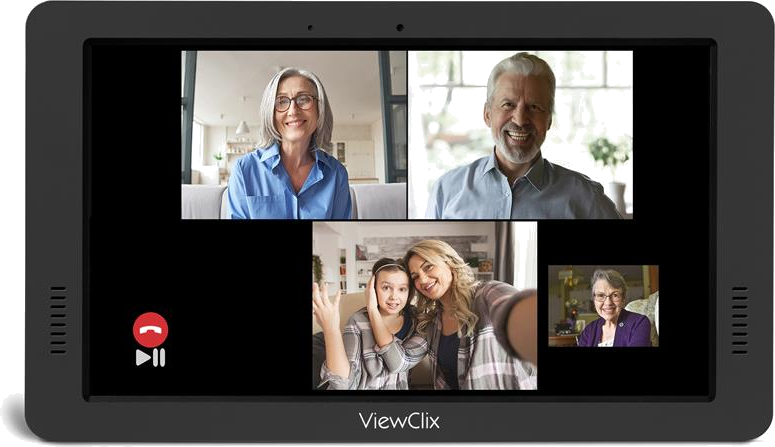
Family group video call on a ViewClix frame

Comparing Video Calling Devices

See how the ViewClix Smart Frame stacks up against conventional devices often given to seniors.

Device Type Ease of Use for Senior Setup & Maintenance Key Advantage
ViewClix Smart Frame Effortless (No menus, Auto-Answer) Managed 100% remotely by family Zero technology experience required
Tablets (with Zoom/FaceTime) Moderate to Difficult Requires app updates & charging Portable and multi-functional
Smart Displays (Voice Assistant) Moderate (Requires voice commands) Requires account linking & Wi-Fi setup Good for seniors comfortable with AI
Standard Smartphones Difficult (Small screens/buttons) High (Updates, lock screens, battery) Already owned by many

Real Families. Real Connections.

Discover how ViewClix is bringing peace of mind to families across the country by providing a reliable, frustration-free viewport to their loved ones.

See Family Stories

Frequently Asked Questions

What makes ViewClix the easiest video calling device for seniors?

ViewClix is designed specifically for seniors. Unlike tablets, it has no menus, no passwords, and no apps to navigate. Its flagship Auto-Answer feature allows calls to connect automatically without the senior needing to press anything, making it the most frictionless option available.

Can seniors use standard tablets for video calls instead?

Yes, but tablets usually require app navigation, logins, updates, and charging. For seniors who are less comfortable with technology, these steps often create frustration and missed calls.

How does the remote management work?

Family members use the ViewClix app or website to manage contacts, send photos, and update settings remotely. Seniors do not need to troubleshoot or navigate technical menus.

How do families manage the ViewClix frame?

Approved relatives are added to a secure share list and can call directly, upload photos, and help manage setup over time. This keeps control with family while preserving a simple experience for seniors.

Questions