

Getting Ready for Mother's Day: Connect with Grandma Using ViewClix
- April 23, 2026
- ViewClix tips
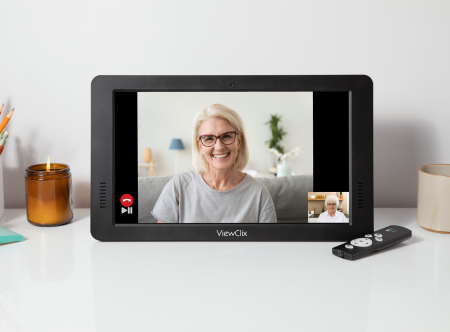
Mother’s Day is an excellent time to make sure Grandma feels included and remembered, especially if she lives far away. If she already has a ViewClix Smart Frame, you have several tools available to make the day special.
By preparing a few things in advance, you can ensure she has a great experience on Sunday. Here is a practical guide to setting up your family’s photos, videos, and calls.
1. Update the Photo Display
A digital frame is only as good as its newest pictures. Take some time before Mother's Day to refresh the images she sees on her screen.
- Gather recent memories: Look through your phone for photos from the last few months. Include everyday moments, not just major holidays.
- Coordinate with relatives: Ask siblings or cousins to upload their recent photos directly to her frame so she gets a variety of updates.
- Add captions to photos to give Grandma a reference on who is in the photos and where.
2. Record Special Video Messages
Adding video messages provides a personal touch that photos alone cannot capture.
- Keep it short and clear: Have family members record brief, 30-to-60-second video greetings.
- Speak up: Remind everyone to speak clearly and face the camera so Grandma can easily hear and see them.
- Upload in advance: Load these videos to her ViewClix frame and schedule the Video Playlist to automatically play for her on the big day.
3. Organize a Group Family Call
Coordinating a time for everyone to talk can be difficult, but planning ahead makes it manageable.
- No scheduling, special links, or passcodes are required. Just let family know what time to join the call.
- Make sure everyone has access: If your have relatives who haven't used the app recently, ask them to log in. If they don't have a login yet, add them to the Share List so they can create their ViewClix password.
4. Host a Photochat Session
Instead of a standard video call, use the Photochat feature on Mother's Day to look at pictures together while you talk.
- Guide the conversation: Use the new photos you uploaded as conversation starters.
- Share the stories: As you display each picture on her frame, explain where you were, who is in the photo, and what you were doing.
- Keep her engaged: This feature gives the call structure and provides visual context, which can be very helpful and engaging for older adults.
Taking a few minutes now to upload new content and schedule your calls will make Mother's Day run smoothly. It is a straightforward process that will yield a highly rewarding day for Grandma and the rest of the family.
Make Mother's Day special this year with a ViewClix Smart Frame! Order today and get set up before the big day: https://viewclix.com/shop

With decades of elderly care and technology experience, ViewClix is dedicated to providing seniors with a viewport to loving families and friends.
Useful Links
Contact Us
12210 SW Main St. # 23545
Tigard, Oregon 97223
Phone: 800-304-4281
Email: info@viewclix.com
Copyright © ViewClix LLC, All Rights Reserved.